What Is Indoor Navigation Software? A Practical 2026 Guide
Indoor spaces can be difficult to navigate when visitors need to find specific destinations across multiple floors, corridors, and sections. Indoor navigation software provides a digital way to search for locations, understand building layouts, and follow routes to destinations. This guide explains the technology, approaches, key features, and practical applications of indoor navigation.
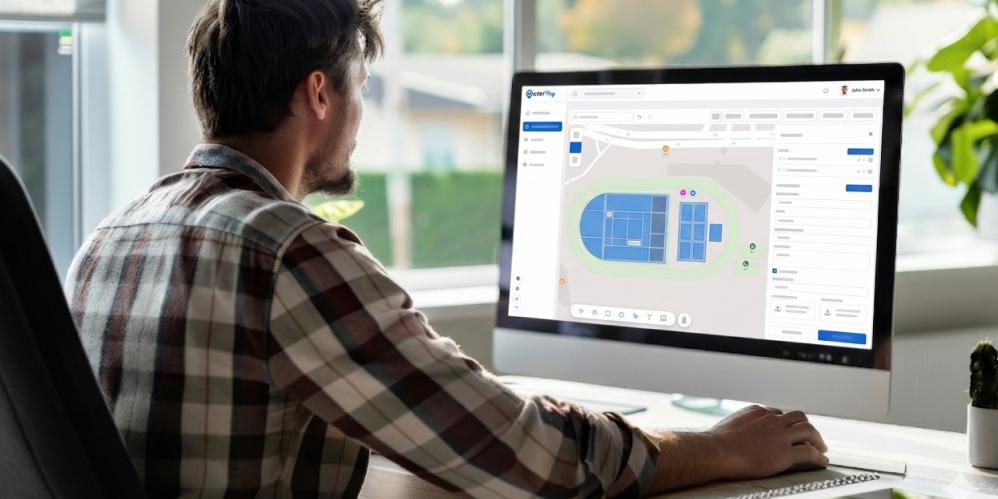
Finding a specific store, department, gate, exhibit, or room inside a large venue can be difficult when visitors have to rely only on printed directories and fixed signs. Indoor navigation software provides a digital alternative by helping people search for destinations, view interactive indoor maps, and follow routes through complex spaces.
Hospitals, museums, universities, shopping malls, airports, stadiums, campuses, and event venues can use an indoor navigation solution to make their spaces easier to explore. Depending on the requirements, indoor navigation can use positioning hardware or work as a software-only wayfinding experience.
In this guide, we explain how indoor navigation works, the main approaches available, the features to consider, and where OuterMap fits into the indoor navigation landscape.
What Is Indoor Navigation Software?
Indoor navigation software helps people find and navigate locations inside buildings and other complex indoor environments. Unlike GPS, which works well outdoors, indoor navigation relies on digital maps, mapped locations, routes, and, in some solutions, positioning technologies.
An indoor navigation platform can allow visitors to search for a destination, view its location on a digital map, and receive directions from an entrance or another mapped starting point.
For example, a visitor in a shopping mall could search for a store, while a hospital visitor could search for a department or clinic. At an airport, the same type of system can help users locate terminals, gates, facilities, or other important destinations.
How Indoor Navigation Works
Indoor navigation can work in different ways depending on the technology behind the solution.
Some systems use technologies such as Bluetooth beacons, Wi-Fi-based positioning, or UWB to estimate a user's location inside a building. Others use an interactive map and route-planning approach where visitors select their destination and follow directions from a known starting point.
Indoor Mapping vs. Indoor Navigation
Indoor mapping is the digital representation of a building or venue, including floors, rooms, stores, corridors, entrances, and points of interest.
Indoor navigation builds on that map by adding search and route guidance.
In simple terms:
- Indoor Mapping Software helps create and manage digital indoor maps.
- Indoor Navigation Software helps users navigate those maps.
- Indoor Mapping and Wayfinding Software can combine mapping, search, and route guidance in one experience.
The Two Main Approaches to Indoor Navigation
Indoor navigation solutions generally fall into two broad approaches: hardware-based positioning and software-only wayfinding.
1. Hardware-Based Indoor Positioning
Hardware-based systems use technologies such as Bluetooth beacons, Wi-Fi positioning, or UWB to estimate a visitor's location inside a venue.
This approach can be useful when continuous location tracking or highly precise positioning is an important requirement.
For example, certain healthcare, logistics, industrial, or operational applications may benefit from knowing the approximate real-time location of people or assets.
However, hardware-based deployments can require additional infrastructure, installation, calibration, maintenance, and technical planning.
2. Software-Only Indoor Wayfinding
A software-only approach uses an interactive floor plan, searchable destinations, and digital routes without requiring dedicated positioning hardware throughout the venue.
Visitors can search for a store, gate, exhibit, room, or department and follow the route shown on the map.
This approach can be a practical indoor navigation solution for venues primarily focused on helping visitors find destinations rather than continuously tracking their location.
It can also be simpler to deploy because the venue does not need to install and maintain a separate positioning infrastructure.
Which Indoor Navigation Approach Does Your Venue Need?
There is no single indoor navigation technology that is right for every venue.
The best choice depends on the problem you are trying to solve.
When Hardware-Based Positioning Makes Sense
Hardware-based positioning may be appropriate when your application requires:
- Continuous indoor positioning
- More precise location awareness
- Asset or people tracking
- Location-dependent automation
- Operational or specialized use cases
These requirements can justify the additional infrastructure and technical complexity.
When Software-Only Wayfinding Is Enough
A software-only approach may be suitable when the main goal is helping visitors:
- Find a specific destination
- Search for stores or facilities
- Navigate between floors
- Follow routes
- Discover points of interest
- Find accessible locations
- Access maps from their mobile devices
For many visitor-facing use cases, the key requirement is not knowing exactly where every visitor is at every moment. It is simply helping them get from where they are to where they want to go. That is primarily a wayfinding problem.
Key Features to Look for in Indoor Navigation Software
When evaluating an indoor navigation platform, focus on features that directly improve the visitor journey and simplify map management.
Interactive Indoor Maps
Visitors should be able to explore floors, rooms, stores, departments, and other locations through an easy-to-understand digital map.
Search and Route Planning
Users should be able to search for a destination and receive clear directions from a selected starting point.
Multi-Floor Navigation
Large buildings often have multiple floors. The platform should make it easy to switch between floors and understand how routes connect.
Accessibility Support
Accessible routes and location information can help visitors identify suitable entrances, facilities, and pathways based on the information available for the venue.
Offline Navigation
Offline access can be useful in buildings where connectivity is weak or inconsistent. A platform that supports cached maps and location data can provide a more reliable experience.
Points of Interest and Location Search
Visitors should be able to quickly find important destinations such as stores, restaurants, restrooms, gates, departments, exhibits, elevators, and information desks.
Where Indoor Navigation Software Can Be Used
An indoor navigation solution can be useful across many types of complex venues.
Shopping Malls
Help shoppers find stores, restaurants, restrooms, parking areas, and other facilities.
Hospitals
Help patients and visitors locate departments, clinics, entrances, waiting areas, and other services.
Airports
Support navigation between terminals, gates, lounges, facilities, and other important locations.
Museums
Help visitors find galleries, exhibits, amenities, and other points of interest.
Stadiums and Arenas
Help visitors locate gates, seating areas, concessions, restrooms, and other facilities.
Campuses
Help students, staff, and visitors navigate buildings, departments, classrooms, and facilities.
Convention and Event Centers
Help attendees find halls, booths, meeting rooms, stages, and event areas.
Benefits of an Indoor Navigation Solution
A well-designed indoor navigation solution can improve both the visitor experience and venue operations.
Makes Complex Venues Easier to Navigate
Interactive maps and route guidance can reduce the confusion that visitors often experience in large or unfamiliar buildings.
Reduces Visitor Confusion
Instead of searching through printed directories or asking staff for directions, visitors can search for a destination directly.
Improves Accessibility
Providing information about accessible routes and facilities can help visitors plan their journeys more confidently.
Helps Visitors Find Locations Faster
Search and route features can help visitors reach their destination without unnecessary walking or backtracking.
Reduces Dependence on Printed Directories
Digital maps can provide more information than a static directory and can be updated when locations change.
Improves the Overall Visitor Experience
When visitors can easily find where they need to go, they can spend more time focusing on their actual purpose for visiting the venue.
Why Choose OuterMap for Indoor Navigation
Choosing the right indoor navigation platform can help organizations make complex venues easier to navigate without adding unnecessary infrastructure. OuterMap provides a software-based approach that combines interactive maps, digital wayfinding, search, and route guidance.
Software-Only Indoor Wayfinding
OuterMap helps organizations provide indoor wayfinding without requiring dedicated positioning hardware throughout the venue. Visitors can use interactive maps to search for locations and navigate between destinations.
Turn Existing Floor Plans Into Interactive Maps
Organizations can use their existing floor plans and maps to create interactive digital experiences. This makes it easier to present rooms, stores, departments, exhibits, and other points of interest in one place.
Search, Routes and Points of Interest
Visitors can search for specific destinations and view routes to locations across a venue. This can be useful for shopping malls, hospitals, airports, museums, campuses, stadiums, and convention centers.
Support for Indoor and Outdoor Navigation
OuterMap can support both indoor and outdoor wayfinding, making it possible for organizations to manage different navigation environments through one platform.
Simplify the Visitor Experience
With OuterMap's indoor navigation software, organizations can give visitors an easier way to find locations, explore their surroundings, and navigate complex venues with greater confidence.
Conclusion
Indoor navigation software makes complex indoor environments easier to understand and navigate. Whether a venue needs hardware-based positioning or a simpler software-only wayfinding experience depends on its specific requirements.
For many visitor-facing applications, interactive maps, searchable locations, clear routes, accessibility information, and offline access can provide the practical navigation experience visitors need.
OuterMap provides an indoor navigation solution that combines interactive mapping and digital wayfinding, helping organizations turn existing venue maps into useful digital experiences for visitors.
Frequently Asked Questions
What is indoor navigation software?
Indoor navigation software helps people find and navigate locations inside complex buildings and venues using digital maps, search, and route guidance. Some solutions also use positioning technologies to estimate a user's location indoors.
What is the difference between indoor mapping and indoor navigation?
Indoor mapping focuses on creating and managing digital maps of buildings and venues. Indoor navigation adds search and route guidance to help users move from one location to another.
Does indoor navigation require hardware?
Not always. Some indoor navigation systems use Bluetooth, Wi-Fi, UWB, or other positioning technologies, while software-only solutions can provide map-based search and route guidance without dedicated positioning hardware.
What is an indoor navigation platform?
An indoor navigation platform is software that allows organizations to create, manage, and deliver digital indoor maps, location information, search, and navigation experiences for visitors or users.
Can indoor navigation work without GPS?
Yes. Indoor navigation does not necessarily require GPS. Software can use digital maps, mapped locations, route data, and other technologies to provide indoor wayfinding.
What is indoor mapping software?
Indoor mapping software helps organizations create and manage digital representations of buildings, including floors, rooms, stores, corridors, facilities, and points of interest.
Can indoor navigation software support multiple floors?
Yes. Multi-floor navigation is an important capability for complex buildings such as malls, hospitals, airports, campuses, and convention centers.
How can OuterMap help with indoor navigation?
OuterMap helps organizations turn existing maps into interactive digital navigation experiences. Its platform supports indoor and outdoor navigation, interactive maps, location search, route optimization, accessibility guidance, and centralized map management.