Indoor Wayfinding: How Large Venues Can Improve Visitor Navigation
Large venues can be difficult to navigate, especially when visitors need to find a destination across multiple floors, entrances, corridors, departments, stores, or facilities. Airports, shopping malls, museums, stadiums, universities, hospitals, and convention centers can all present similar challenges when visitors are unfamiliar with the environment.
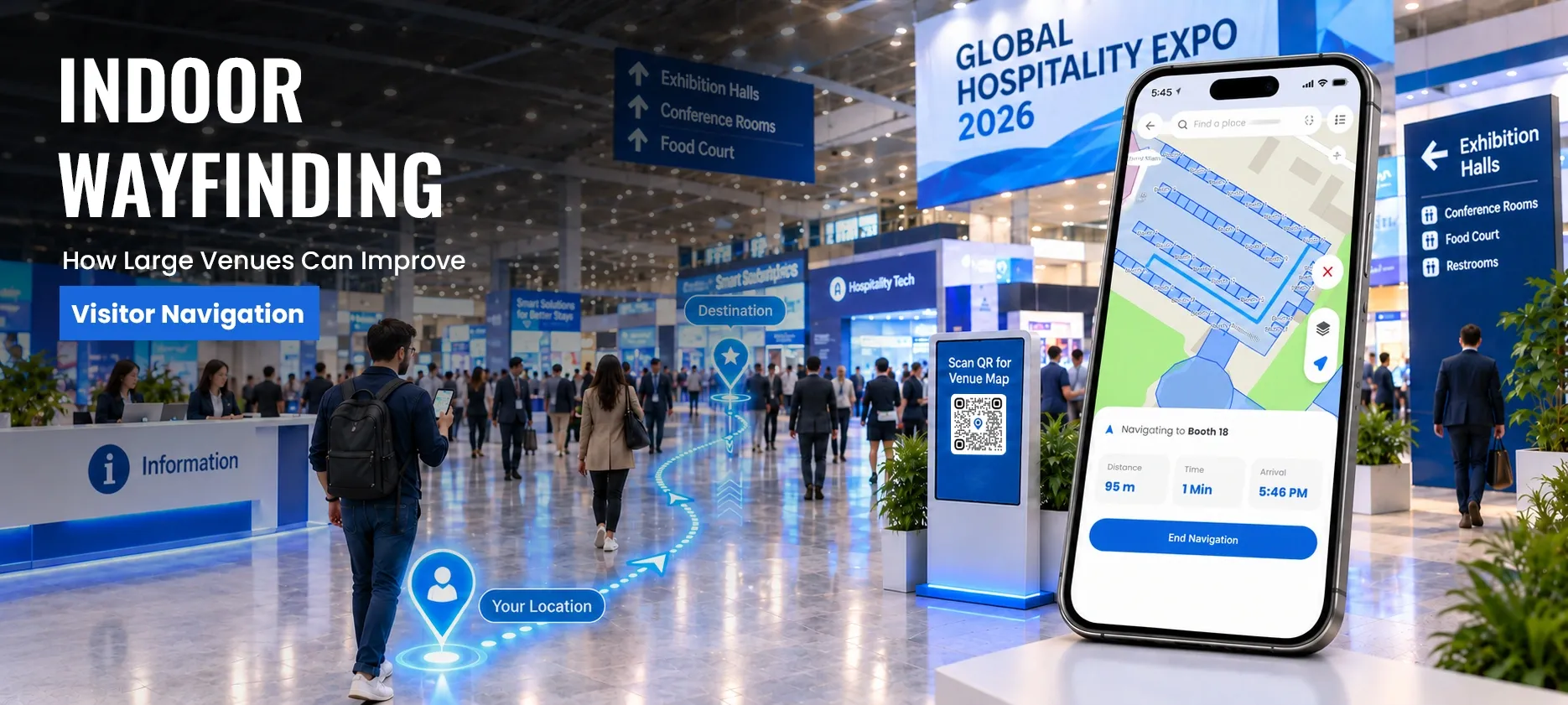
Traditional signs and printed directories can provide basic directions, but they may not be enough when visitors need to find a specific location quickly. Indoor wayfinding provides a more interactive approach by helping visitors search for destinations, understand their surroundings, and follow directions through complex indoor spaces.
For large venues, digital wayfinding can create a more convenient visitor experience by reducing confusion and helping visitors reach their destinations with greater ease.
What Is Indoor Wayfinding?
Indoor wayfinding refers to the process of helping people understand and navigate an indoor environment so they can reach a specific destination.
Unlike simple building maps or static signs, an indoor wayfinding experience can combine interactive maps, destination search, directions, points of interest, and route information to help visitors move through a facility.
For example, a visitor entering a large shopping mall may want to find a particular store. Instead of searching through a static directory or asking a staff member for directions, the visitor can search for the store and view its location on an interactive map.
The same approach can help an airport passenger locate a gate, a museum visitor find an exhibition, or a stadium attendee locate a seating section.
Indoor wayfinding therefore focuses not only on displaying a map, but also on making it easier for people to understand where they are, where they need to go, and how to get there.
For a broader explanation of the technology behind interactive indoor maps, see our guide to indoor mapping software.
Why Do Large Venues Need Better Visitor Navigation?
Large venues often contain complex layouts that can be difficult for first-time visitors to understand.
A visitor may need to navigate several floors, choose between multiple entrances, locate an elevator, find a particular room, or move from one section of a facility to another.
Several challenges can make this experience more difficult.
Complex Building Layouts
Large facilities may contain numerous corridors, rooms, departments, stores, entrances, and service areas.
Visitors who are unfamiliar with the building may have difficulty understanding how different areas connect.
Multi-Floor Navigation
Finding a destination on another floor can be more complicated than simply following a corridor.
Visitors may need to determine whether they should use an elevator, staircase, escalator, or accessible route to reach their destination.
Unfamiliar Destinations
Visitors may know the name of their destination but not its location.
For example, an airport passenger may know the gate number but not where the gate is located within the terminal.
A university visitor may know the name of a department without knowing which building or floor contains it.
Dependence on Staff for Directions
When visitors cannot find a location, they often ask employees for help.
Repeated requests for directions can place an unnecessary burden on front-desk teams, security staff, customer service representatives, and other employees.
Accessibility Considerations
Not every visitor can use the same route.
Some visitors may need elevators, ramps, accessible entrances, or other facilities when moving through a venue.
A better wayfinding experience can help visitors identify suitable routes and important accessibility-related locations.
How Digital Wayfinding Improves the Visitor Journey
Digital wayfinding can make navigation more interactive by connecting maps, destination information, search, and directions in one experience.
Instead of relying only on physical signage, visitors can use a digital interface to understand the venue and locate destinations.
A typical visitor journey can look like this:
1. Enter the venue
The visitor arrives at an entrance or another starting point.
2. Search for a destination
The visitor searches for a store, department, gate, room, exhibit, seating area, restroom, or other point of interest.
3. View the location
The destination appears on an interactive map, helping the visitor understand where it is within the building.
4. Follow the route
The visitor receives directions toward the selected destination.
5. Navigate between floors
If the destination is on another level, the experience can account for available floor connections such as elevators, stairs, or escalators.
6. Reach the destination
The visitor can use the map and directions to complete the journey without repeatedly asking for assistance.
This type of experience can be particularly valuable in environments where visitors may have limited familiarity with the building.
Key Capabilities of an Indoor Wayfinding Solution
The exact capabilities of an indoor wayfinding solution can vary, but an effective visitor navigation experience may include several important functions.
Destination Search
Visitors should be able to search for destinations using information such as names, departments, room numbers, stores, categories, or other points of interest.
Search reduces the need for visitors to manually explore an entire map.
Interactive Indoor Maps
Interactive indoor maps allow visitors to explore a facility rather than relying on a static floor plan.
Users can view locations, understand different areas of a building, and interact with the map while planning their journey.
Route Guidance
Route guidance helps visitors understand how to move from one location to another.
This becomes particularly important in large buildings where the shortest or most convenient route may not be obvious.
Multi-Floor Navigation
A large venue may contain several floors connected by different access points.
A useful wayfinding experience should help visitors understand how their route changes when moving between levels.
Accessibility Support
Accessibility can be an important part of indoor navigation.
Depending on the facility and available map information, visitors may need to identify:
- Accessible entrances
- Elevators
- Ramps
- Accessible restrooms
- Suitable routes
Accessibility information can make navigation more inclusive for different visitors.
Points of Interest
Wayfinding can also help visitors discover locations beyond their original destination.
For example, someone visiting a shopping mall may search for a store and also discover nearby restaurants or restrooms.
Similarly, a museum visitor may find an exhibition and identify nearby facilities.
Where Can Large Venues Use Indoor Wayfinding?
Indoor wayfinding can support many environments where visitors need to navigate complex spaces.
Airports
Airports can have multiple terminals, gates, security checkpoints, lounges, restaurants, retail areas, baggage facilities, and transportation services.
Indoor navigation can help passengers identify destinations within these complex environments.
For example, a passenger may need to locate a gate after passing through security or find a specific service within a terminal.
Shopping Malls
Large shopping malls may contain hundreds of stores distributed across multiple floors.
Visitors may use digital wayfinding to find:
- Stores
- Restaurants
- Food courts
- Restrooms
- Parking areas
- Customer service areas
A searchable map can make it easier for visitors to locate businesses without relying entirely on physical directories.
Museums
Museums often contain multiple galleries, exhibitions, facilities, and visitor services.
Wayfinding can help visitors locate exhibitions, cafés, restrooms, gift shops, event spaces, and other points of interest.
This allows visitors to spend less time trying to understand the building layout and more time exploring the venue.
Stadiums and Arenas
Large sports and entertainment venues can become particularly difficult to navigate when thousands of people arrive for an event.
Visitors may need to find:
- Seating sections
- Entrances
- Food vendors
- Restrooms
- Merchandise stores
- Other visitor facilities
Clear digital navigation can help attendees understand where their destination is within the venue.
Universities and Campuses
University campuses can include multiple buildings, classrooms, laboratories, libraries, administrative offices, and student facilities.
Students, visitors, faculty members, and event attendees may not always know the best route to a particular destination.
Digital wayfinding can help users locate buildings and facilities more independently.
Convention Centers and Event Venues
Convention centers can contain exhibition halls, conference rooms, registration desks, booths, meeting areas, and networking spaces.
During large events, visitors may need to find different destinations within a short period.
Digital wayfinding can make it easier to locate sessions, exhibitors, meeting rooms, and other event facilities.
Hospitals and Healthcare Facilities
Hospitals can have complex layouts containing departments, clinics, laboratories, pharmacies, entrances, and other facilities.
Visitors and patients may already be under stress when they arrive, making clear navigation particularly important.
Indoor wayfinding can help users identify destinations and available facilities while reducing unnecessary confusion.
Benefits of Better Indoor Wayfinding
A well-designed wayfinding experience can provide benefits for both visitors and venue operators.
Improve Visitor Experience
Visitors can spend less time trying to understand the building and more time completing their intended activity.
Clear navigation can make unfamiliar environments feel easier to use.
Reduce Navigation Confusion
Interactive maps, search, and directions can provide additional context that static signs may not provide.
This can help visitors understand where destinations are located and how different areas of a venue connect.
Reduce Repeated Direction Requests
When visitors can independently search for destinations and access navigation information, they may have less need to ask employees for basic directions.
This can allow staff to focus on other responsibilities.
Support Accessibility
Providing information about accessible entrances, elevators, ramps, restrooms, and suitable routes can contribute to a more inclusive visitor experience.
Help Visitors Discover More Locations
Digital wayfinding does not have to stop after a visitor finds the original destination.
Interactive maps can also help users discover nearby facilities, services, stores, exhibits, or other points of interest.
Support a More Connected Visitor Experience
When maps, destination information, search, and navigation are presented together, organizations can provide visitors with a more connected digital experience.
How to Choose Indoor Wayfinding Software
Organizations evaluating an indoor wayfinding software solution should consider how well it fits their venue, visitors, and operational requirements.
1. Map Usability
The map should be easy for visitors to understand and interact with.
A complicated interface can create another navigation problem instead of solving one.
2. Destination Search
Check whether users can quickly search for relevant locations, categories, departments, rooms, stores, or other points of interest.
3. Multi-Floor Support
For large facilities, confirm that the solution can represent multiple floors and the connections between them.
4. Accessibility
Consider whether the experience can provide information about accessible facilities and routes that are relevant to your venue.
5. Mobile Experience
Visitors may access navigation through smartphones or other connected devices, so the experience should be convenient on commonly used devices.
6. Map Updates
Large venues can change over time.
Stores may move, departments may change, event spaces may be rearranged, and facilities may be updated.
The solution should support maintaining accurate location information as the environment changes.
7. Scalability
Organizations managing multiple buildings or locations should consider whether the platform can support their current requirements and future growth.
8. Integration
Depending on the organization, indoor wayfinding may need to work alongside other digital systems, applications, visitor services, or facility management workflows.
Indoor Wayfinding vs. Indoor Navigation
The terms indoor wayfinding and indoor navigation are closely related, but they emphasize slightly different aspects of the visitor experience.
Indoor navigation generally focuses on helping users move from one location to another by providing route guidance.
Indoor wayfinding is broader. It can include the overall process of helping visitors understand their environment, search for destinations, interpret maps, choose routes, and reach the locations they need.
In practice, the two can work together.
For example:
Interactive map → Destination search → Route selection → Indoor navigation → Destination
This distinction is also why indoor wayfinding can be considered part of a broader indoor navigation experience rather than a completely separate concept.
Frequently Asked Questions
1. What is indoor wayfinding?
Indoor wayfinding is the process of helping people understand and navigate indoor environments so they can find destinations efficiently. It can combine interactive maps, destination search, directions, points of interest, and route information.
2. How does digital wayfinding help large venues?
Digital wayfinding helps large venues provide visitors with interactive maps, destination search, and navigation information. This can reduce confusion and make it easier for visitors to find locations across complex or multi-floor facilities.
3. What is the difference between indoor navigation and indoor wayfinding?
Indoor navigation primarily focuses on route guidance between locations. Indoor wayfinding is broader and can include maps, search, directions, destination information, accessibility information, and other elements that help visitors understand and navigate an indoor environment.
4. What is an indoor navigation system?
An indoor navigation system helps users identify routes between locations within a building or other indoor environment. Depending on the solution, it can work with interactive maps, location information, destination search, and other navigation capabilities.
5. Can indoor wayfinding support accessibility?
Yes. When accessibility information is available within the map data, an indoor wayfinding experience can help visitors identify accessible entrances, elevators, ramps, restrooms, and suitable routes.
6. Which venues can benefit from indoor wayfinding?
Indoor wayfinding can be useful for airports, shopping malls, museums, stadiums, universities, hospitals, convention centers, corporate facilities, and other large venues where visitors need help navigating complex indoor environments.
Conclusion
Large venues can be challenging to navigate, especially when visitors need to find specific destinations across complex or multi-floor environments. Indoor wayfinding combines interactive maps, destination search, and navigation information to help visitors move through these spaces more easily.
For organizations looking to improve visitor navigation, OuterMap can help create easy-to-use indoor mapping and wayfinding experiences for complex venues.