Inside the Resort Admin Dashboard: Manage Your Property and Enhance Guest Experiences
The guest map is only half of a resort map. Here's what your team sees on the other side, and how each part helps run the property day-to-day. From activity schedules to guest reports and analytics, resort admin manages it all in one place.
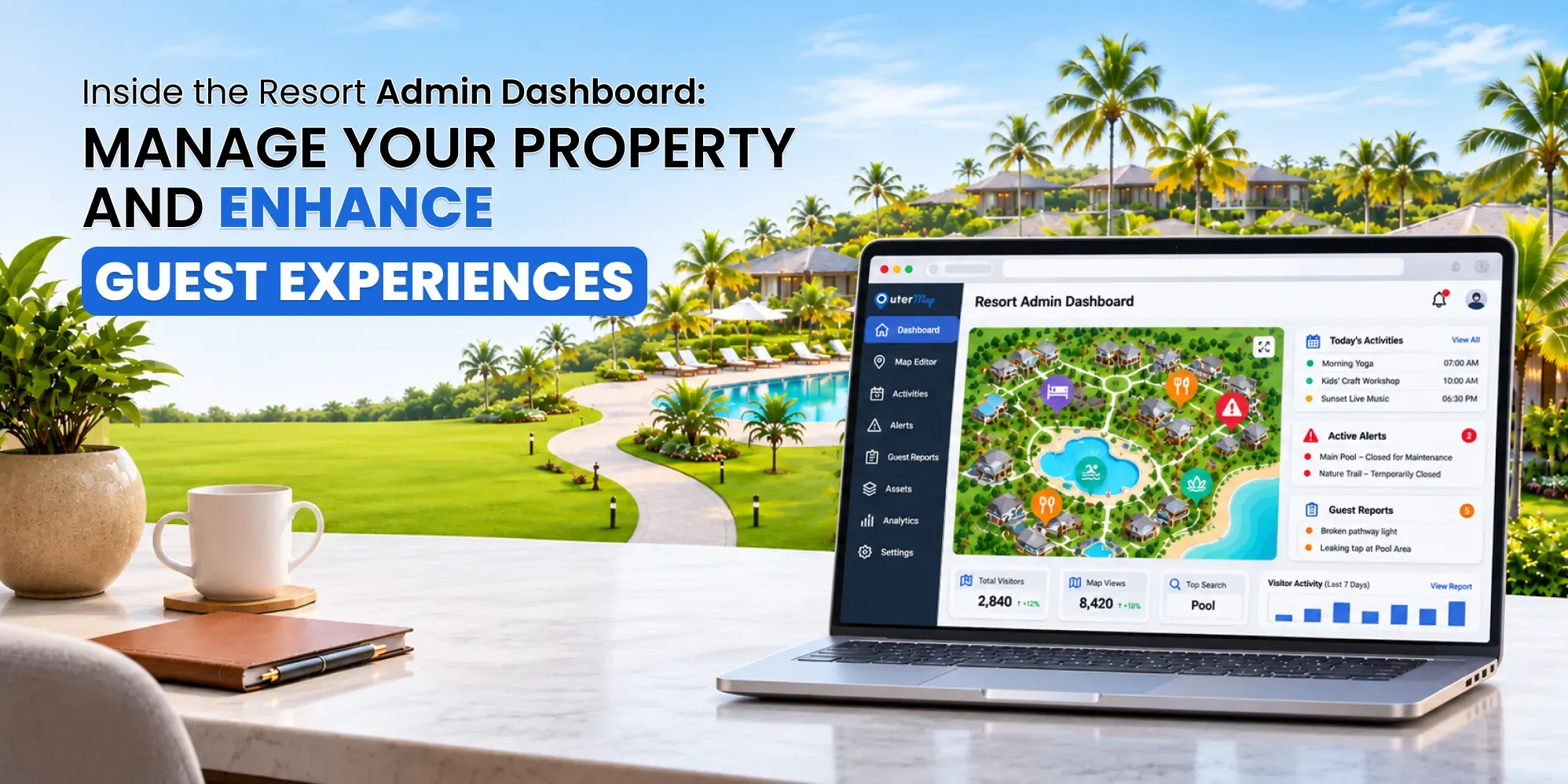
When guests open a resort map, they see something simple: where their villa is, what's open and what's happening today. Keeping that map accurate takes work behind the scenes.
Activities change, pools close for maintenance, guests report problems and equipment needs looking after. The dashboard is where your admin handles all of it, without reprinting a single map.
Here's a closer look at what's inside the OuterMap admin dashboard, and how your admin can use it to keep every team on the same page. If you'd like to start with the business case, read Beyond Directions: How Digital Maps Drive Resort Revenue and Smarter Operations.
Who manages the dashboard?
The dashboard is managed by your resort's admin, who has full access to every part of it. The admin keeps the map up to date for the whole property, often based on requests from other teams.
| Team | What they ask the admin to update |
|---|---|
| Front desk and guest services | Alerts and answers to common guest questions |
| Activities team | Daily schedules and events |
| Operations and maintenance | Closures, issue reports and assets |
| Management | Analytics reviews and promotions |
1. The map editor: keep the property map updated
The map editor is where your team manages everything guests see on the map. You can update places, paths, points of interest and opening hours from one central dashboard.
That matters because resorts change constantly. A restaurant changes its hours, a new pool bar opens or a path moves during construction. Instead of reprinting maps and brochures, your team makes the change once, and guests see the updated map the next time they open it.
2. Activities and events: plan the guest day
Most resorts run a full schedule, from morning yoga and guided walks to kids' activities and evening entertainment. In the dashboard, your admin can add each activity and link it to its location on the map.
Guests then see what's happening near them, rather than relying on a printed schedule left in their room. When an activity moves or changes time, the admin updates it in the same place.
3. Promoted experiences: highlight paid activities
Your resort has experiences you want guests to find, such as the spa, golf, guided tours and private dining. The dashboard lets you highlight these paid experiences directly on the guest map.
Because guests already use the map to get around, promoted experiences appear where they're looking, often when they're nearby. It's a simple way to make sure the experiences you've invested in don't go unnoticed.
4. Closures and alerts: tell guests what changed
Some changes can't wait for guests to notice them. When the pool closes for maintenance, a trail is unsafe after heavy rain or an event moves indoors, your team can update the map and send closure and safety alerts.
This keeps guests from walking to a closed area and helps the front desk avoid answering the same question again and again.
5. Guest reports: from the app to the right team
Guests often notice problems before staff do, such as a broken light on a path, a fallen branch or a leaking tap. With OuterMap, guests can report a problem from the app with its exact location, and the report goes to the right team.
Staff can also log issues themselves before guests notice them. That gives operations and maintenance one place to see what needs attention, instead of messages spread across phone calls, emails and notes.
6. Asset management: track what you maintain
Large resorts look after a lot of equipment and facilities spread across the property, from lighting and signage to pool equipment and outdoor furniture. Asset management tools help your team plan, track and maintain those assets in one place.
Because assets sit on the same map, your team can see where each one is, which makes it easier to plan maintenance and respond quickly when something needs repair.
7. Analytics: see how guests use the property
The analytics dashboard shows where guests go and what they search for. Over time, it helps management answer practical questions:
- Which amenities do guests look for most?
- Which areas get little traffic?
- What do guests search for that they can't find?
Those answers can guide decisions on signage, promotions and staffing. They're also useful when planning next season's layout and activities.
8. Branding and setup
Getting started doesn't mean building a new map from scratch. Your team can:
- Upload your existing map as a PNG, JPG, PDF or GeoTIFF.
- Review the AI draft of paths and points of interest, then make any edits.
- Publish it to guests through a QR code, link or website embed.
Enterprise plans include white-labeling, so the map can carry your resort's logo and brand colors. OuterMap also supports single properties and larger multi-site operations.
Example: a day on the dashboard
To show how the different parts work together, here's an example of a typical day at a resort. The details are made up, but they're the kind of situations resort teams deal with every week.
- Morning: The admin updates today's activity schedule and marks the main pool as closed for two hours of maintenance.
- Midday: A guest reports a broken light on a garden path. The report reaches the admin with the exact location, and the admin passes it to maintenance.
- Evening: Rain moves the sunset event indoors. The admin updates its location and sends an alert to guests.
- End of the week: The admin reviews the analytics with management to see which activities guests looked for most, then plans next week's promotions.
No reprinting, no long chain of phone calls and no guessing what guests need.
See it on your own property
Every resort is laid out differently, so the best way to understand the dashboard is to see it with your own map. We'll show you how your team could manage updates, activities, alerts and guest reports in one place.
Resort admin dashboard: FAQs
Who manages the admin dashboard?
The dashboard is managed by your resort's admin, who has full access to every part of it. Other teams, such as guest services, activities and maintenance, share their updates with the admin.
Do we need technical skills to update the map?
No. Your team can update places, activities, hours and alerts from the dashboard without GIS or design skills.
How quickly do changes reach guests?
Your team makes the change once in the dashboard, and guests see the updated map the next time they open it. Urgent changes can also go out as alerts.
Can we manage more than one property?
Yes. OuterMap supports single properties and larger multi-site operations.
Can we add our own branding?
Yes. Enterprise plans include white-labeling, including your logo and brand colors.
Turn your map into a living one.
Upload your existing map and publish a branded, offline-ready visitor app, free to start, no GIS team required.
Start free →